
There’s a moment that makes people give up on “learning a language with Netflix.”
You’re into the scene. You’re almost following. The music swells, the character says something important… and one small word—often a boring, everyday word—slips by. Suddenly the entire sentence feels like fog. You rewind. You replay. You pause to translate. The rhythm breaks. The emotion evaporates. And what was supposed to be effortless “immersion” starts to feel like doing homework with the TV on.
Most learners don’t quit because they lack motivation. They quit because the experience is too easy to break.
The smart subtitles method is designed to protect the one thing that actually keeps you consistent: flow. When you stay inside the story, your brain keeps absorbing language in the background—sounds, phrasing, grammar patterns, and the kind of vocabulary people actually use. And with the right kind of subtitle support, you don’t have to choose between understanding and learning. You can do both.
Why Netflix can work—if you stop treating it like a test
Netflix is not a course. It won’t explain the difference between “since” and “for,” or drill you on conjugations. What it does give you is something textbooks struggle to deliver: real language, attached to real context.
You don’t just hear words—you hear them with facial expressions, tension, jokes, awkward pauses, affection, sarcasm. Your brain loves that. Context is glue. It makes meaning stick.
But the typical subtitle options push you into two traps:
- Native-language subtitles: comfortable… but your eyes take over. You end up reading the show more than listening to it.
- Target-language subtitles only: great in theory… until the show is slightly above your level and you spend more time drowning than learning.
What you want is the middle path: subtitles that keep you oriented, without replacing your listening.
What “smart subtitles” really mean
A lot of tools treat subtitles as a translation problem: “How do we display meaning?” So they translate whole sentences, line after line, until the show becomes a bilingual script. That can feel helpful, but it quietly changes the activity into reading practice.
Smart subtitles feel different because they behave more like a good tutor sitting next to you on the couch: they step in only when you’re about to lose the thread, and they give you just enough to keep going.
That’s the core idea behind Bingy.cc: it adapts bilingual subtitles to your level—switching to your native language when a subtitle is too hard, keeping the target language when it’s within reach, and even showing an inline translation when a subtitle contains just one word you don’t know yet (so you learn it without pausing).
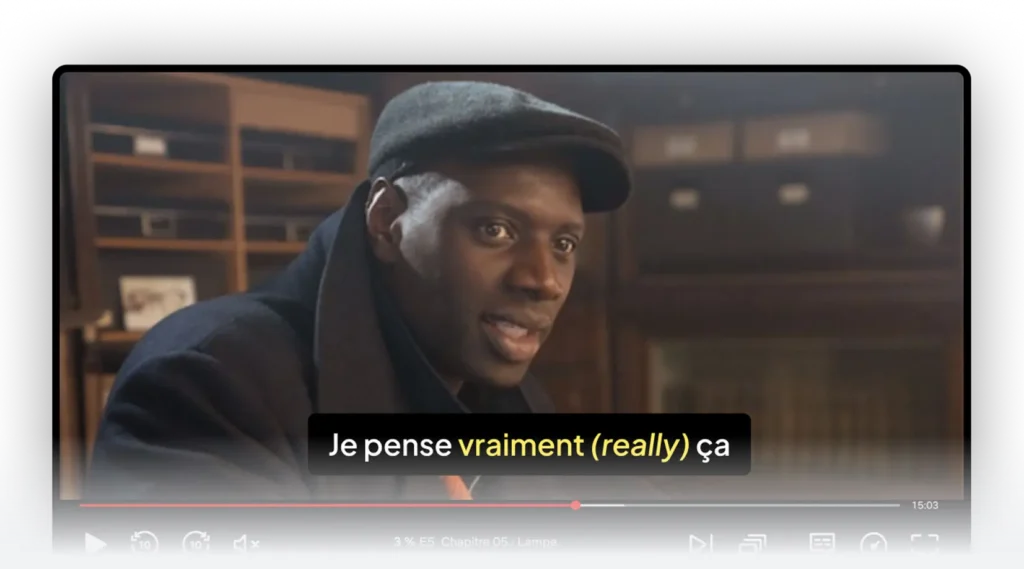
This “minimum necessary help” matters because it keeps your brain working in the target language instead of outsourcing the whole job to translation.
The missing piece: personalization (or why the same show is “easy” for one person and impossible for another)
Here’s the truth nobody likes to admit: “level” isn’t a single thing.
You can have strong grammar and still lack basic everyday vocabulary. You can understand formal speech and get destroyed by slang. You can read well and still struggle to parse fast audio.
That’s why smart subtitles become dramatically more effective when they adapt to your actual known words—not a generic “beginner / intermediate” label.
Bingy leans into this by using a vocabulary assessment to estimate your vocabulary level (described as a range from about 100 up to 5,000 words) and then uses that information to personalize how subtitles switch between languages.
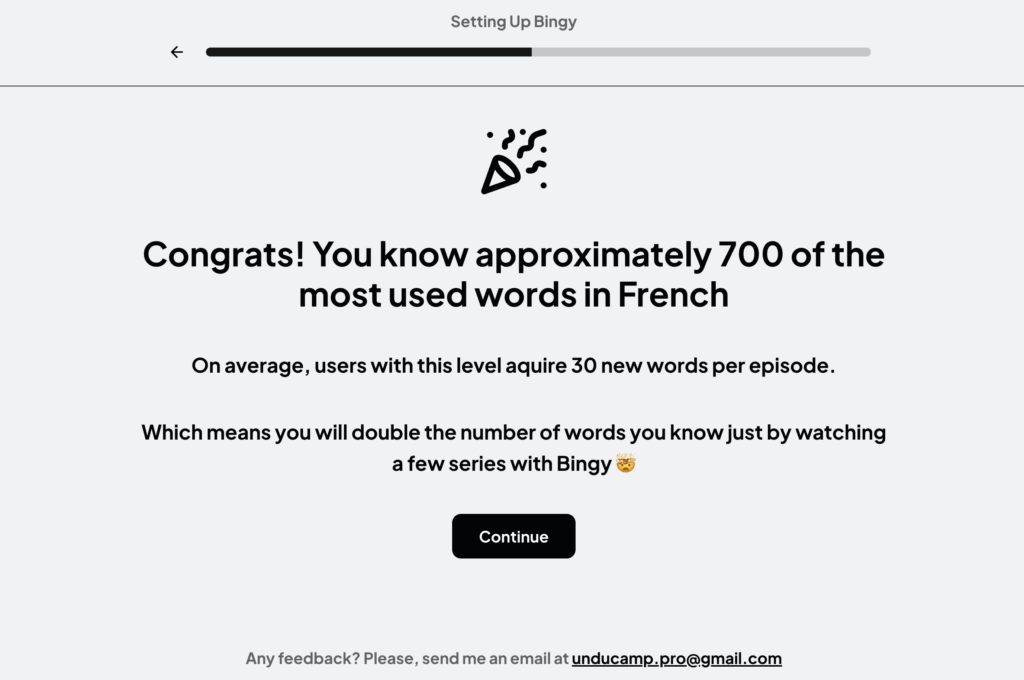
In other words: instead of forcing you to manually choose “easy mode” forever, the system can gradually challenge you where it makes sense.
The smart subtitles method: how to actually do this, like a human being
Forget the idea that you need to turn every episode into a study session. The best Netflix language routine is surprisingly gentle. It’s less like “grind vocabulary” and more like “keep the story watchable, and let the language come to you—on purpose.”
Step 1: Pick a show that lets you relax your shoulders
If you start with a show where people shout, mumble, overlap, and use specialized vocabulary (politics, fantasy, legal drama), you’ll burn out fast. Your brain can’t learn well when it’s in panic.
Pick something with:
- lots of everyday dialogue
- predictable settings (home, work, school)
- recurring phrases and repeated contexts (this repetition is gold)
If you’re not sure, do a five-minute test:
If after five minutes you can’t tell what the characters want and what’s happening, the show is too hard for learning right now. Choose easier content. You’re building a habit, not proving something.
Step 2: Setup Bingy Smart Subtitles
The “sweet spot” setup for most learners is:
- audio in the target language
- subtitles in the target language
- smart support that appears only when needed
This protects listening while preventing total confusion.
With Bingy, the promise is exactly that smoothness: it keeps subtitles in your target language when they’re manageable, and flips to your native language when they’re not—so you stay with the plot instead of fighting it.
Step 3: Watch 10–15 minutes with one rule: don’t pause for every unknown word
This is where most “Netflix learners” accidentally sabotage themselves.
Pausing feels productive, but it destroys rhythm. Every pause forces your brain to switch modes—from story mode to problem-solving mode. Do that repeatedly, and Netflix turns into homework.
Smart subtitles are your compromise: when one word blocks understanding, you get a quick nudge (often an inline translation), and the story keeps moving.
Over time, that’s how you get more exposure with less frustration—which is the real engine of progress.
Step 4: Rewatch a tiny scene once (optional, but powerful)
If you want the “I’m actually improving” feeling, do this:
Pick a short scene you enjoyed—two minutes is enough—and rewatch it.
The first time, you were decoding meaning.
The second time, you already know what’s happening… so your brain finally has bandwidth to notice phrasing, pronunciation, and those little connector words that make speech feel natural.
This is where Netflix becomes more than passive exposure. It becomes training.
Step 5: End with a small win, not a huge to-do list
If you finish the episode feeling like you have 70 words to review, you’ll start avoiding the habit.
Instead, save or focus on five words or short expressions that feel genuinely useful—things you’ll hear again and could imagine using. Then stop. The goal is to come back tomorrow.
Does this kind of “smart subtitle” approach actually help vocabulary learning?
There’s research on “smart subtitles” interfaces for vocabulary learning that suggests real benefits compared to standard dual subtitles—one study found learners defined over twice as many new words on an immediate post-viewing vocabulary test when using a smart subtitles interface versus dual subtitles (with similar viewing times).
That doesn’t mean “you’ll magically become fluent” from one tool. But it supports the idea that well-designed subtitle assistance can make vocabulary pickup more effective than simply showing two languages at once.
Language support
Bingy supports multiple native languages (including English, French, Spanish, German, Italian, Portuguese, Polish, Dutch, Swedish, Danish, Czech, Japanese, and Korean) and target languages including French, Brazilian Portuguese, English, and German.
The real takeaway
The goal isn’t perfect comprehension. It’s not even “learning every word.”
The goal is to keep the story watchable while your brain repeatedly meets the language in meaningful context—so that vocabulary stops being something you “study” and starts becoming something you recognize automatically.
Smart subtitles are just the guardrails that keep you on the road long enough for that change to happen.
Leave a Reply